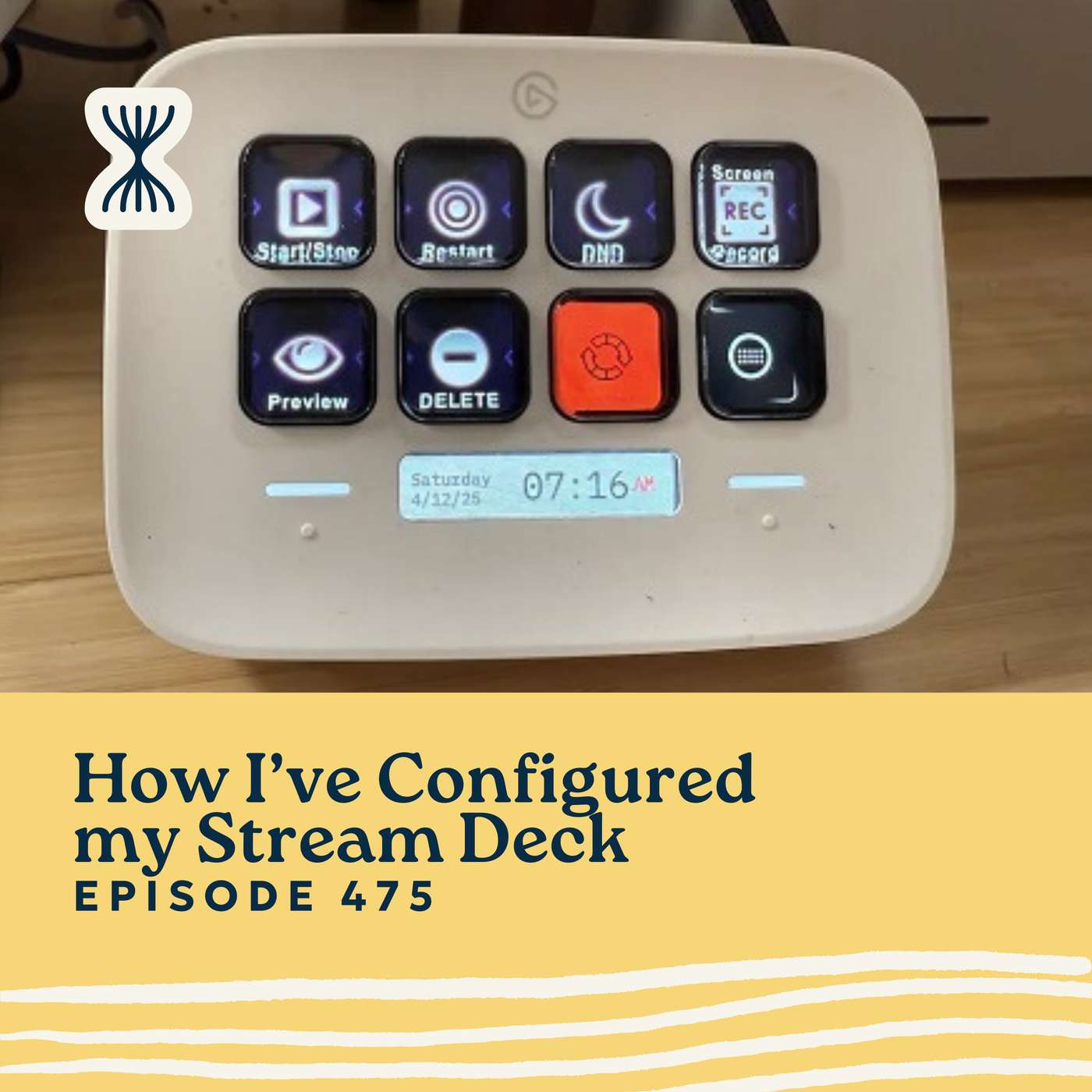
How I’ve Configured my Stream Deck
One of my favorite things to do at Disney World growing up was get on attractions and press all the buttons. They really made it feel like you were accomplishing things. Maybe that’s why I like the Stream Deck so much.
I've been using Stream Decks for about five years now, starting with a 15-key model before expanding to a 32-key XL and adding two more devices to my setup. These programmable button panels have become an essential part of my workflow, helping me control everything from video production to home automation.
While many see Stream Decks as tools just for streamers, I've integrated them deeply into my daily work—managing focus sessions, tracking time, controlling my lights, and executing shortcuts that save me dozens of clicks every day. They've become my personal control room that helps me work more efficiently and stay focused, whether I'm recording podcasts, creating videos, or doing deep work.
Top Takeaways
- Stream Decks aren't just for streamers—they're incredibly versatile productivity tools that can automate repetitive tasks across your entire workflow, from video production to time tracking and home automation.
- Custom buttons with visual icons make actions more memorable than keyboard shortcuts, especially for complex or infrequently used commands that are hard to remember.
- Controlling my environment (like turning lights on/off, changing colors, or setting focus modes) with a single button press helps me transition between different work modes instantly, saving mental energy and reducing friction.
————
Streamlined Solopreneur helps solopreneurs decide what to use and what to build, so they can stop spinning their wheels and get their time back.
Each week, Joe Casabona shares one practical idea — a system, tool, or strategy to help you get your time back without having to make another decision, hire employees, or sell your soul to AI.
Looking for a place to start? Take the Solo Systems Starter Quiz. 60 seconds, 8 questions, and I will tell you what system you should build first, and exactly how to build it (so YOU don't need to make another decision). https://streamlined.fm/quiz
Connect with Joe on LinkedIn: https://www.linkedin.com/in/jcasabona/
You May Also Like

TechCheck
CNBC
Tech Life
BBC World Service

Jack Hopkins
Jack Hopkins

The Good Tech Companies
HackerNoon

The Everything Feed - All Packet Pushers Pods
Packet Pushers Team

The Fat Pipe - Most Popular Packet Pushers Pods
Packet Pushers

Bitcoin Magazine Podcast
BTC Media

Jak Piggott
Jak Piggott

Doom Debates
Liron Shapira

Artificial Intelligence Masterclass
AI Masterclass
TechCheck
CNBC
Tech Life
BBC World Service
Jack Hopkins
Jack Hopkins
The Good Tech Companies
HackerNoon
The Everything Feed - All Packet Pushers Pods
Packet Pushers Team
The Fat Pipe - Most Popular Packet Pushers Pods
Packet Pushers
Bitcoin Magazine Podcast
BTC Media
Jak Piggott
Jak Piggott
Doom Debates
Liron Shapira
Artificial Intelligence Masterclass
AI Masterclass
Community discussion